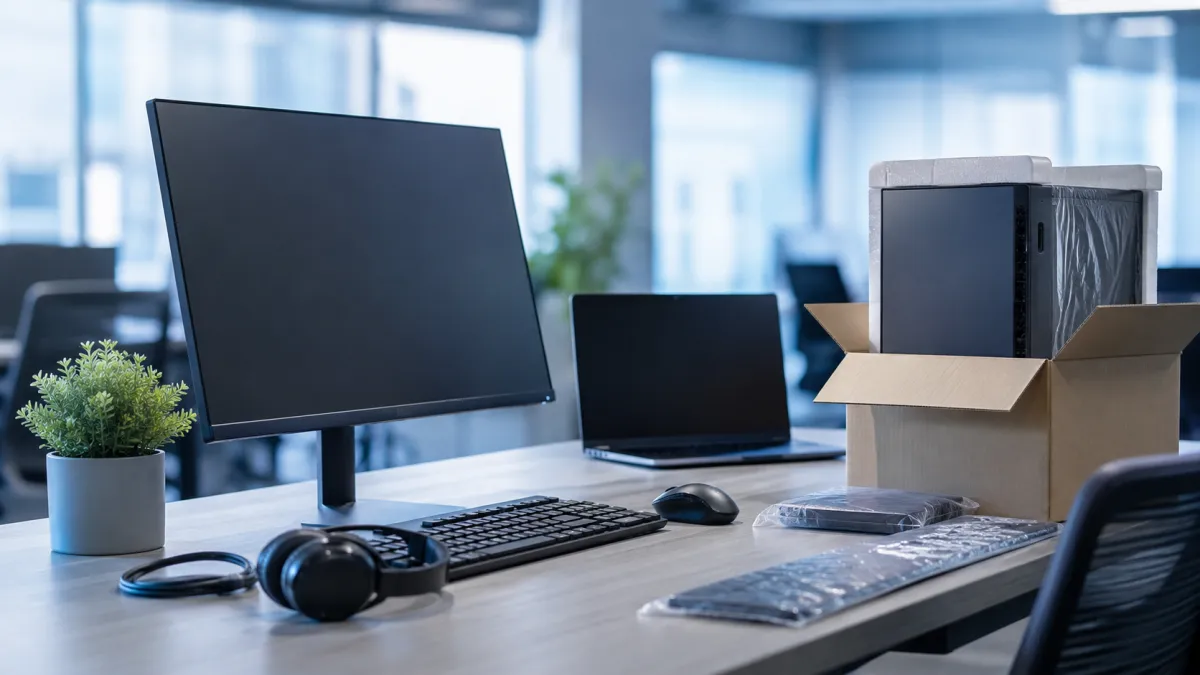
Office Computer Replacement: How Often to Refresh?
Businesses should consider office computer replacement every 3 to 5 years. This interval helps maintain optimal performance, prevents unexpected downtime, and ensures compatibility with newer software. Staying updated with the latest tech advancements in employee workstations can significantly impact productivity and security. Recognizing when to refresh hardware is crucial for sustained efficiency and might pose a challenge for businesses managing tight budgets or growth.
Quick Answer
Companies should aim to replace office computers every 3 to 5 years. This period balances cost with the need to keep devices current, minimizing downtime caused by hardware failure and enhancing workforce efficiency.
Key Takeaways
- Replace office computers every 3 to 5 years to maintain efficiency.
- Consider device lifecycle management to plan for future upgrades.
- Monitor hardware performance to avoid unexpected issues.
- Evaluate business needs to tailor your refresh strategy.
- Utilize Cloud Solutions to complement hardware updates.
Quick Business Snapshot
| Criteria | Details |
|---|---|
| Best For | Growing businesses |
| Business Size | Medium to large enterprises |
| Primary Benefit | Improved productivity and security |
| Implementation Complexity | Moderate |
| Common Use Case | Replacing outdated hardware |
| Tech20 Service Fit | Cloud Solutions |
Who Should Consider This Solution
- Growing Teams: Ensure consistent performance as team size increases.
- Tech-Dependent Operations: Businesses that heavily rely on software and digital tools.
- Security-Focused Organizations: Regular updates mitigate security vulnerabilities.
- Companies with Aging Equipment: Those experiencing frequent hardware issues.
- Budget-Conscious Businesses: Planning hardware refresh cycles can optimize expenditures.
Why This Matters for Businesses
Office computer replacement is crucial to maintaining business continuity. Failing to update hardware within an appropriate timeline can lead to increased maintenance costs and reduced employee productivity. Ensuring your systems are compatible with the latest software is vital, particularly for operations located in tech hubs like NYC where competition is fierce. Regular updates to computer hardware can provide a notable advantage in efficiency and innovation.
What Most Companies Miss
Many businesses don't realize the hidden costs of outdated equipment—misjudging the balance between initial savings and eventual tech debt. Underestimating these costs can lead to elevated repair bills and productivity losses. Businesses should also account for the risks of cybersecurity vulnerabilities on older systems, often overlooked until complications arise.
Which Solution Makes Sense
Implementing a strategic hardware refresh plan makes sense for businesses seeking long-term growth and efficiency. Solutions like Cloud Solutions can ease transitions between hardware upgrades by offering scalable resources. Furthermore, integrating cloud services can help ensure data security and operational continuity during hardware changes.
Where Problems Usually Begin
Often, problems emerge from inadequate monitoring of device lifecycle and failure to proactively plan upgrades. When systems start experiencing frequent failures or slowdowns, they're past the optimal replacement date. Consistent assessment of your hardware's performance can preempt disruptive downtimes and facilitate seamless transitions.
Hypothetical Business Scenario
Consider a small digital marketing agency in NYC with ten employees. They faced declining productivity due to five-year-old PCs lagging in performance. After consulting with Tech 20 Solutions, they implemented a staged computer replacement plan complemented by Cloud Solutions. This phased approach minimized disruptions and improved overall team productivity, setting a clear path for technology management.
Practical Checklist
- Evaluate current hardware performance regularly.
- Develop a timeline for computer replacements.
- Consult with an IT specialist to design a hardware refresh strategy.
- Prepare a budget and allocate funds for future purchases.
- Consider integrating Cloud and Cybersecurity solutions to support transitions.
- Communicate with employees about scheduled upgrades.
- Test new devices before full-scale deployment.
- Review and refine hardware policies periodically.
What Tech 20 Solutions Recommends
At Tech 20 Solutions, we recommend integrating Cloud Solutions into your hardware refresh strategy. This approach enables access to scalable resources, facilitating a smoother transition as you update your technology. It also enhances data security and business agility, providing a robust foundation for handling device lifecycle changes efficiently.
Common Mistakes to Avoid
- Skipping performance evaluations for existing hardware.
- Underestimating the total cost of ownership for older devices.
- Failing to align hardware refresh with business goals.
- Neglecting to consider potential security risks of outdated systems.
- Implementing upgrades without employee preparedness or buy-in.
Frequently Asked Questions
How often should office computers be replaced?
Office computers should be replaced every 3 to 5 years to ensure optimal performance and security.
What factors influence the decision to replace office computers?
Consider performance issues, compatibility with current software, and overall security risks associated with older hardware.
Can cloud solutions help during computer upgrades?
Yes, cloud solutions support data security and operational continuity, easing transitions when upgrading hardware.
What are the signs that computers need replacement?
Frequent slowdowns, software incompatibilities, and excessive maintenance costs indicate a need for hardware replacement.
How can businesses plan for a hardware refresh?
Develop a strategic plan, allocate budget, evaluate current devices, and consult with technology specialists for seamless transitions.
Final Thoughts on Office Computer Replacement
Thoughtful planning in your office computer replacement strategy fosters a productive and secure business environment, preventing unwanted disruptions.
Why Trust Tech 20 Solutions
Business technology expertise: Years of experience in understanding business IT needs.
AI automation knowledge: Helping businesses automate and optimize.
Website and digital solutions experience: Crafting effective online presences and tools.
Practical business-first guidance: We prioritize your business goals and needs.
Improve Your Business Workflows
At Tech 20 Solutions, we provide expertise in hardware refresh strategies aligned with Cloud Solutions. Our consultative approach helps businesses integrate technology solutions that enhance workflow efficiency. Learn more about Tech 20 Solutions and how we can assist your business today.

