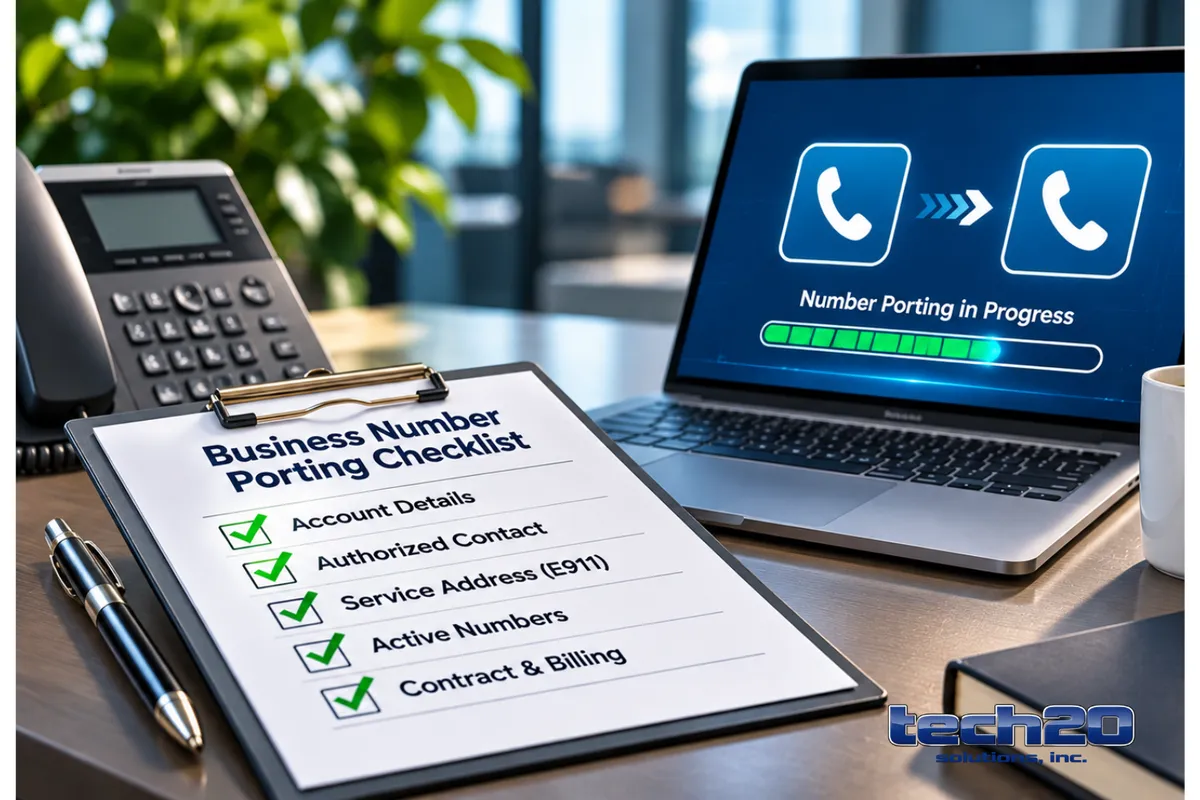
Business Phone Number Porting: Ownership, Account Records, and Provider Questions
You usually own the telephone numbers your business uses, but ownership and practical control are separate. Before you change telecom providers, confirm which account records and authorizations actually give you the control needed to perform business phone number porting without service disruption or surprise charges.
Confirm Who Controls Your Business Phone Numbers
For an IT director, CFO, or operations leader, the immediate question is not legal title but operational authority: which account details and carrier records must match for a successful port? Treat the following items as the single source of truth you must confirm before any provider change.
Account holder and billing name: The name on the carrier account and on the bill is the primary reference for porting. If invoices are in a parent company, DBA, or third party, you will need documentation showing authority to port.
Authorized contact: Carriers only accept port requests from approved account contacts. Verify who is listed as the account administrator and update this before beginning a port if needed.
Account identifiers: Gather the account number, any porting PINs or passwords, and the carrier service reference numbers. New providers will need these exact values to submit a port request.
Service addresses and E911 records: The physical service address associated with each number (used for emergency routing) must be accurate in carrier records or the port can be delayed or rejected.
Active service status and number inventory: Confirm which numbers are active on the account and which are pooled, inactive, or reserved. Only active and correctly provisioned numbers are generally portable without extra steps.
Contract and billing obligations: Check for early termination clauses, minimum-term commitments, or bundled services tied to numbers that could affect timing or cost.
Phone Number Ownership And The Port-Out Process: Checklist To Verify Now
Use this practical checklist to verify control before you engage a new provider or cancel your current service. These items directly affect the business phone number porting process and your continuity risk.
Who signs the port request? Confirm the person or role listed as authorized to approve porting with your current carrier and update the contact if necessary.
Do you have exact account credentials? Locate account number, PIN/password, and any service reference IDs. Mismatches are a common cause of rejected port requests.
Is the service address current in carrier records? Verify E911 and billing addresses match the new provider’s information requirements.
Which numbers are active? Produce a current inventory from the carrier showing the assigned numbers and their status.
Are any numbers toll-free or vanity numbers? Toll-free numbers and certain vanity numbers can require different paperwork or registrant verification—flag them early.
Do you have documentation of ownership or assignment? If numbers were acquired, reassigned, or are owned by a third party, have contracts or assignment letters ready.
Can you keep the old service running during the port? Plan to maintain the existing service until the port completes to avoid downtime.
Has the new provider confirmed their porting process? Ask the prospective provider how they will handle the submission, verification, and cutover coordination.
Key Risks And How To Mitigate Them
Porting numbers without preparation can cause missed calls, billing disputes, or unexpected delays. Focus on these practical mitigations.
Rejected ports from mismatched records: Mitigation — reconcile account name, address, and identifiers before initiating a port request.
Service downtime: Mitigation — schedule ports during low-traffic windows, keep the old service active until the new provider confirms completion, and arrange temporary call forwarding if needed.
Loss of emergency routing (E911): Mitigation — confirm E911 address transfer or reconfiguration with both carriers and test emergency-dial behavior after porting.
Unexpected charges or contract disputes: Mitigation — review the incumbent contract for termination terms and coordinate billing cutover dates.
Questions To Ask Current And Prospective Providers
When evaluating providers, use these targeted questions to assess readiness and responsibility for a smooth transition.
Which account records do you require to submit a port request, and how should they be formatted?
Who will submit the port request and who will be our single point of contact during the process?
How do you handle E911 information and CNAM updates after a port?
Will you provision numbers in parallel before the cutover, or do you require the old service to be disconnected first?
What documentation do you need for toll-free or special-number ports?
How will you validate authorization if the billing name differs from our operating name?
These questions help clarify responsibilities and surface hidden dependencies early so you can align procurement, finance, and IT teams.
Practical Porting Sequence And Continuity Planning
A reliable port involves coordination across teams and carriers. The essential sequence to plan is:
Reconcile account records and inventory with the incumbent carrier.
Open service with the new provider and provide exact account identifiers and authorization documentation.
Have the new provider submit the port request and confirm acceptance or rejection reasons immediately.
Keep the old service active until the port is confirmed complete; perform verification calls and update call routing and emergency settings.
Update business collateral, systems, and any downstream services (auto-attendants, CRMs, contact centers) once the port is finished.
Connectivity matters: for cloud-based voice systems, ensure your network capacity and quality are adequate before completing migrations. If you need a more reliable circuit or redundant Internet paths as part of your voice migration, consider discussing Business Internet options with potential providers.
When to Bring In Outside Help
When business phone numbers are critical to revenue or customer experience, bringing in an experienced provider or consultant can help reduce migration risks and resolve disputes with existing carriers more efficiently. This is especially important for contact centers, sales lines, and marketing numbers where downtime can disrupt business operations. Before choosing a provider, ask about their number porting process, experience handling similar migrations, and whether they will manage carrier coordination throughout the transition. For additional guidance on migration steps and important considerations, explore Tech20's Business Voice resources and learn more about business phone number porting.
Need Help Porting Your Business Phone Numbers?
If you need professional assistance with porting strategy, authorization checks, and minimizing service interruptions, the Tech20 Business Voice team can help you gather the necessary records and coordinate the end-to-end process. From reviewing your current phone setup and identifying porting requirements to communicating with carriers and tracking migration progress, our team can help make the transition more organized and reduce the risk of unexpected disruptions. Whether you're moving a few business numbers or transitioning an entire phone system, having the right guidance can help protect your communications and keep your business connected.